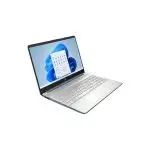
If your computer takes forever to turn on or freeze every time you open software, you’re probably dealing with an outdated hard drive. The good news? You don’t have to buy a new PC to fix it. Replacing your hard drive with an Adata SSD can make your system feel brand new again. Fast boot-ups, smooth multitasking, and faster file transfers—everything becomes easier.
At Tech Shoppers BD, we offer original Adata SSD products that are perfect for users in Bangladesh. Whether you’re a student, office worker, or gamer, this upgrade is one of the smartest and most affordable performance boosts you can make.
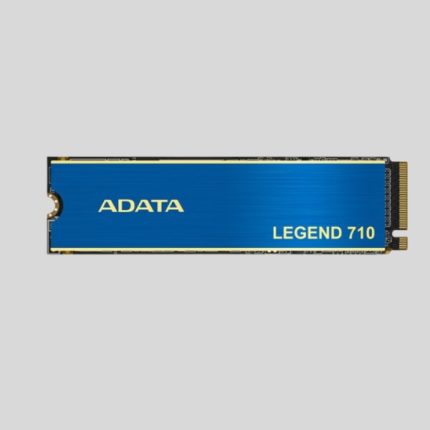
ADATA LEGEND 710 1TB PCIE GEN3 X4 M.2 2280 SSD
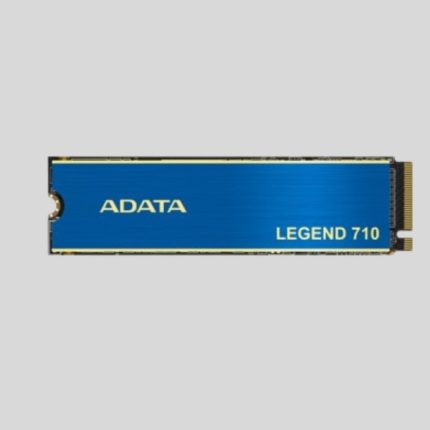
ADATA LEGEND 710 256GB PCIE GEN3 X4 M.2 2280 SSD

ADATA LEGEND 710 2TB PCIE GEN3 X4 M.2 2280 SSD
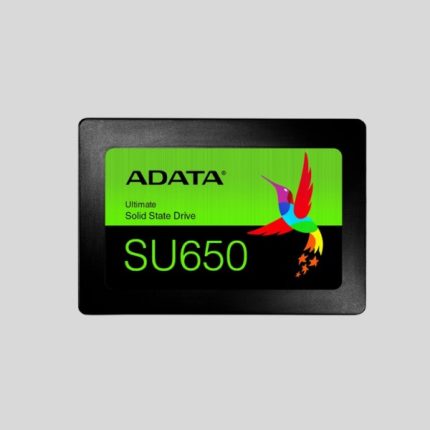
Why Adata Is a Smart SSD Choice
Looking for fast, affordable, and trusted SSDs? Adata checks all three boxes.
The Adata SSD line is reliable and built to perform. You get excellent speeds, long-lasting durability, and a price that’s usually lower than many other global brands—without compromising quality.
And when it comes to upgrading old laptops or desktops, this SSD does a great job of quickly breathing life into any system.
What Adata SSD Can Do for You
Once you install an Adata SSD, you’ll notice the difference right away.
Here's what improves:
- Fast startup – Windows loads in seconds.
- Smooth multitasking – Jump between tabs, apps, and videos easily.
- Quick file transfer – Move gigabytes in seconds, not minutes.
- Less heat, no noise – SSDs are cooler and quieter than HDDs.
It’s the best upgrade for people dealing with slow systems but not ready to replace the whole computer.
If you're building or upgrading your PC, pair the SSD with a powerful AMD processor for the ultimate performance experience.
Great for All Kinds of Users in Bangladesh
Whether you’re using your PC for studies, office tasks, or entertainment, the Adata SSD fits your needs.
Let’s break it down:
- Students: Open large PDFs, research tabs, and Google Classroom without lag.
- Office workers: Use Excel, emails, and management software smoothly.
- Gamers: Get faster level loading and no annoying freezes mid-game.
- Creators: Work on high-resolution photos, videos, and graphic files without delays.
Use your time for productivity—not waiting on a slow PC.
Different SSD Forms for Different Devices
Not all drives fit all devices. But don’t worry—Adata SSD offers choices that work for just about any system.
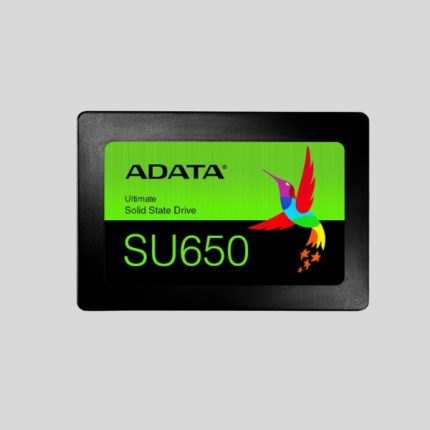
Adata SU650 / SU630 (SATA 2.5”)
Best for laptops and desktops with traditional SATA ports. Affordable and dependable.
Adata XPG SX8200 Pro (M.2 NVMe)
Insanely fast. Created for gaming PCs, creative professionals, or heavy multitaskers. Requires an M.2 slot on the motherboard.
Not sure which one fits your system? Our support team is happy to help you choose, in Bangla or English.
Planning to boost your multitasking speed too? Combine the SSD with fast Desktop RAM for smoother operations.
Install in Minutes – No Expert Required
Most people think SSD upgrades require an expert. That’s not true. You can do it yourself in just 10–15 minutes.
Here’s how:
- Turn off your PC or laptop.
- Open the side panel or laptop base.
- Remove the old hard drive.
- Place the Adata SSD into the drive slot.
- Plug in the necessary cable (SATA or M.2).
- Turn it on and install Windows.
Our support team can even guide you step-by-step over the phone.
Lasts Long. Performs Strong.
An Adata SSD doesn’t just work fast. It also works for a long time—even in harsh conditions.
Here’s what makes it solid:
- Shock- and vibration-resistant
- Energy-efficient (helps your laptop battery last longer)
- Lower heat production (great in Bangladesh’s warm weather)
It also protects your data from sudden power cuts—a feature that’s useful during our frequent load shedding hours.
FAQs – Quick Answers to Common Questions
Q. Can I add an Adata SSD to my old PC or laptop?
A: Yes! Almost all systems with SATA or M.2 slots support Adata SSDs.
Q. Do I need to reinstall Windows?
A: You can reinstall or use free cloning tools to copy your current system to the new SSD.
Q. Will SSD speed up gaming?
A: Yes! Not FPS, but it’ll reduce loading times and lag due to disk performance.
Backup and Boot Drive—Dual Benefits
You can use an Adata SSD in two ways:
- As your boot drive – Install Windows and programs for ultra-fast startup.
- As a backup drive – Store projects, videos, and important files securely.
Plus, if you want a portable option, just put the SSD into a USB casing and use it as external SSD storage. It’s fast, safe, and pocket-sized.
Check out our dedicated page for Adata External SSD if you're looking for plug-and-play convenience.
Why Buy from Tech Shoppers BD?
We get it. Buying electronics online needs trust.
That’s why at Tech Shoppers BD, we offer:
- 100% original Adata SSDs
- Genuine warranty support
- Online and phone guidance, in Bangla or English
- Fast delivery, all over Bangladesh
- Competitive pricing with no hidden cost
Whether you’re in Dhaka, Chattogram, Sylhet, or anywhere else, we deliver excellence straight to your door.
One Upgrade That Changes Everything
Just one upgrade can improve everything—app speed, load time, battery life, and even your mood!
With options starting at budget-friendly prices, an Adata SSD is the perfect place to begin improving your everyday system performance.
Pair your SSD with:
- A quality Processor
- Enough RAM
- Good Airflow or Cooling System
- A replacement Laptop Battery (if yours drains fast)
All of these, including genuine Adata products, are available right here at Tech Shoppers BD.
See more Adata options in our Adata Product Collection.
Final Verdict
If your PC or laptop slows you down, hangs often, or takes what feels like forever to open apps or games—don’t replace the whole system. Upgrade to an Adata SSD and bring it back to life.
Faster performance. Longer life. More reliability. It’s the upgrade everyone in Bangladesh deserves.
At Tech Shoppers BD, we’re ready to help you choose the right Adata SSD for your system—and send it your way fast.
Give your device the speed it deserves.
Order your Adata SSD today from Tech Shoppers BD.