
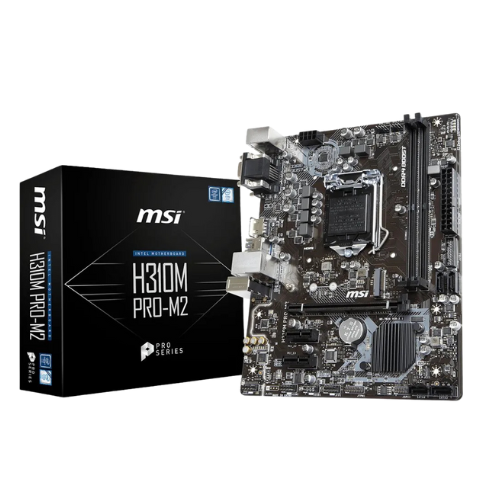
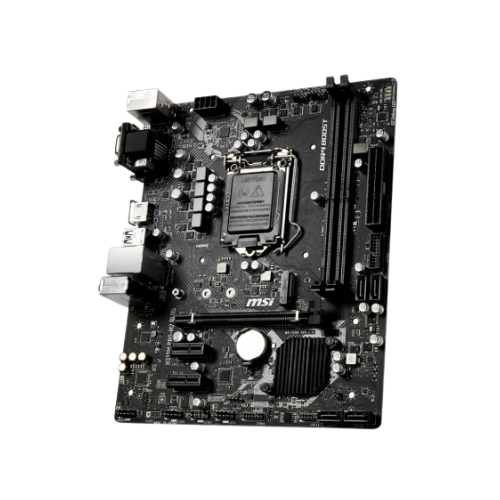
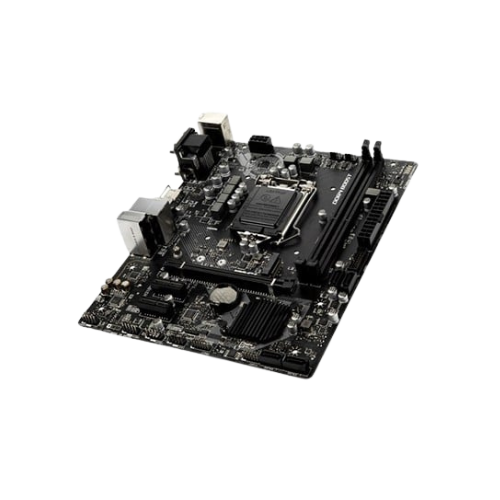
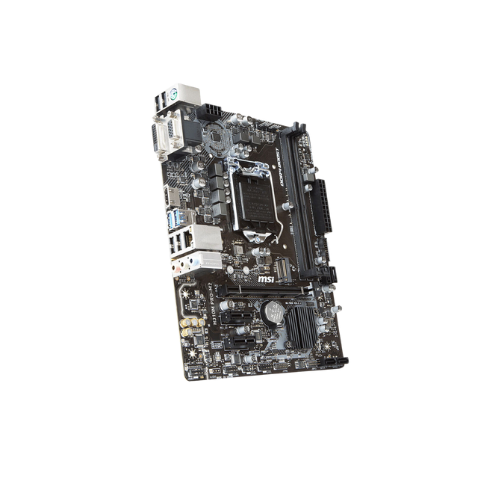
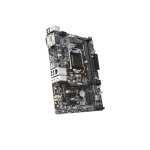
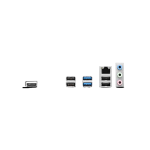
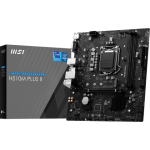
MSI H310M Pro-M2 Intel 9th Gen Motherboard
Original price was: 10,700৳ .9,600৳ Current price is: 9,600৳ .
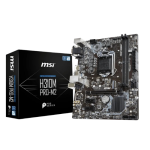
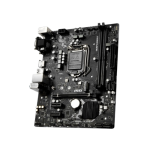
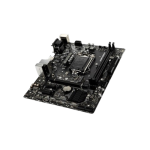
The MSI H310M Pro-M2 Intel 9th Gen Motherboard is a compact yet powerful motherboard. It works with Intel 8th- and 9th-generation CPUs. These CPUs are compatible with the LGA 1151 socket. This board is made for easy builds. Use it for school, work, or light games. It’s great for first-time builders.
You can use DDR4 RAM up to 32 GB. You also get an M.2 slot for fast SSDs. It fits in most PC cases thanks to its Micro-ATX form factor.
Specs Table (After 100 Words)
| Feature | Details |
|---|---|
| Model | MSI H310M Pro-M2 Plus |
| Form Factor | Micro-ATX (m-ATX) |
| CPU Socket | LGA 1151 |
| CPU Support | Intel 8th and 9th Gen Core, Pentium Gold, Celeron |
| Chipset | Intel H310 |
| Memory Support | 2 x DDR4 DIMM slots (up to 32GB, 2666 MHz max) |
| Expansion Slots | 1 x PCIe 3.0 x16, 2 x PCIe x1 |
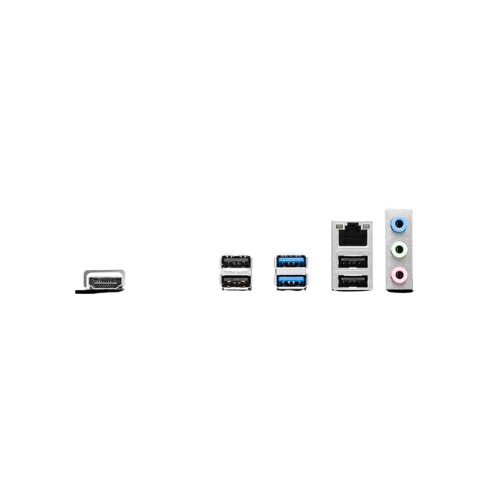
| Graphics Outputs | HDMI, VGA (requires CPU with integrated graphics) |
| Storage | 1 x M.2 slot (NVMe), 4 x SATA III ports |
| Audio | Realtek ALC887 with Audio Boost |
| LAN | Realtek 8111H Gigabit Ethernet |
| USB Ports | USB 3.1 Gen 1 (back and front), USB 2.0 |
| BIOS | Click BIOS, BIOS Flashback, EZ Debug LED |
| Special Features | Core Boost, Steel Armor PCIe Slot, Military Class 4 build quality |
| Operating System | Windows 10 & 11 Compatible |
Easy to Use for First-Time Builders
This board is ideal for beginners. It is simple to set up. The layout is clean. Labels are clear. You can plug in all your parts quickly and easily. The BIOS is easy to use. You don’t need advanced skills to start. EZ Debug LED lights also help you quickly resolve setup problems. If something is wrong, the lights will show what to check.
Memory and Processor Support
The board has two DDR4 slots. You can install up to 32 GB of RAM. It supports 2133, 2400, and 2666 MHz speeds. That’s more than enough for homework, office jobs, and even games. The board works with Intel 8th- and 9th-generation CPUs. These include Core i3, i5, i7, and Celeron or Pentium Gold. It’s a great way to build a PC without spending a lot of money.
Storage & Speed
Need fast boot times? You can use the M.2 slot for NVMe SSDs. These drives are faster than regular hard drives. You also get four SATA III ports. These let you connect normal hard drives or older SSDs. This gives you space for movies, files, games, or work projects. You can mix M.2 and SATA drives for speed and storage.
Graphics and Display Options
This motherboard supports HDMI and VGA. HDMI can display clear Full HD video. VGA supports older monitors. You can use two displays at once if your CPU has built-in graphics. Just plug one into HDMI and one into VGA. This is useful for multitasking, gaming, or schoolwork.
Clear Sound and Quality Audio
Enjoy better sound with Audio Boost. It comes with the Realtek ALC887 audio chip. You get clean, crisp sound. It blocks noise and makes sound more real. This helps in games, music, and video calls. You don’t need to buy a sound card. It works well out of the box.
Fast Internet with LAN Port
The board has a built-in Gigabit LAN using Realtek 8111H. You don’t need Wi-Fi to go online. LAN is faster and more stable. It’s great for Zoom, school, work, or games. Just plug in a cable from your router. You get fast speeds all day.
Strong Parts and Build Quality
MSI used Military Class components to enhance the board’s longevity. The PCIe slot is reinforced with Steel Armor. That means you can insert a heavy graphics card, and the slot will stay strong. Core Boost also helps your CPU run better. Power goes where it’s needed when you need it most.
Easy BIOS and Updates
The BIOS is very user-friendly. Use a mouse or keyboard. The layout is clear. Use BIOS Flashback to update even without a CPU. Just insert a USB stick with the BIOS file. Press a button. Done! You can also control fan speed and monitor temperature.
What Can You Use This Board For?
Here are some easy ideas:
- Daily Use: Web, email, music, YouTube
- Work Use: Office apps, meetings, spreadsheets
- Student Use: Video calls, online classes, writing papers
- Media PC: Stream movies with HDMI output
- Light Gaming: Add a GPU and play small or older games
- Budget Build: Build a full PC without high cost
Why Buy the MSI H310M Pro-M2 Plus?
- ✔ Works with 8th/9th Gen Intel CPUs
- ✔ Fast RAM and M.2 storage support
- ✔ HDMI and VGA for old and new monitors
- ✔ Great sound with no extra card
- ✔ Simple BIOS with helpful tools
- ✔ Built to last with strong parts
- ✔ Fits most PC cases
- ✔ Good price and very reliable
Final Thoughts (In Plain Words)
The MSI H310M Pro-M2 Plus gives you real value. It’s great for people making their first PC. But even experienced users will like it.
You can use DDR4 RAM up to 32 GB.
class=“yoast-text-mark”/> You also get an M.2 slot for fast SSDs.
You also get four SATA III ports.
>You can mix M.2 and SATA drives for speed and storage.
It’s not expensive. But it’s strong and powerful. Pick it if you need a simple and reliable motherboard.



Reviews
There are no reviews yet.