
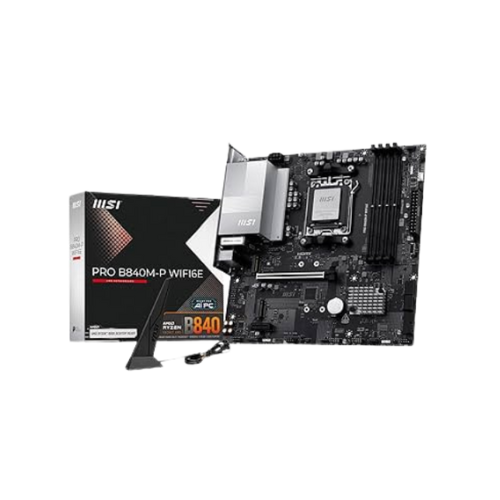
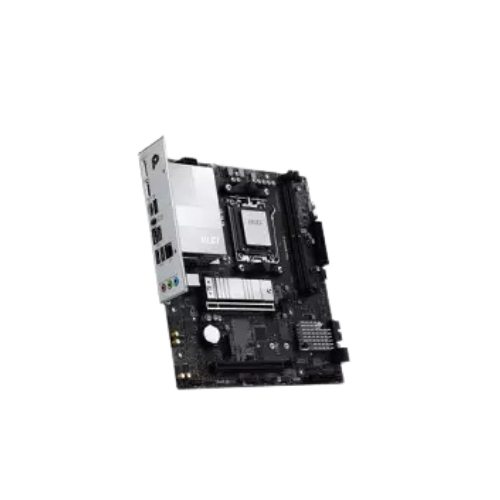

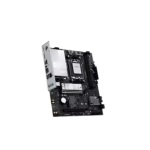
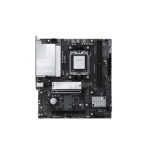
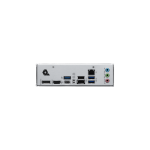
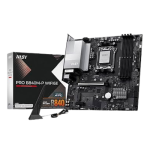
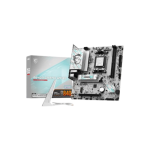
MSI PRO B850M-G AM5 mATX Motherboard
Original price was: 19,200৳ .18,600৳ Current price is: 18,600৳ .
The MSI PRO B850M-G AM5 mATX Motherboard is a compact, powerful motherboard designed for AMD Ryzen 7000-series CPUs. It works with the new AM5 socket and supports many modern features. This includes DDR5 RAM, PCIe 4.0, and M.2 storage. This board is small in size but big in performance. It fits in most PC cases thanks to its micro-ATX form factor. It is great for home users, office workers, students, and even casual gamers.
If you want a simple and smart way to build your next PC, this motherboard has everything you need.
MSI PRO B850M-G Specs Table (Quick Look)
| Feature | Detail |
|---|---|
| CPU Socket | AM5 |
| CPU Support | AMD Ryzen 7000 Series (Zen 4) |
| Chipset | AMD B850 |
| Form Factor | Micro-ATX (mATX) |
| Memory Type | DDR5, up to 6400+ MHz |
| Memory Slots | 2× DDR5 DIMMs, Up to 96GB |
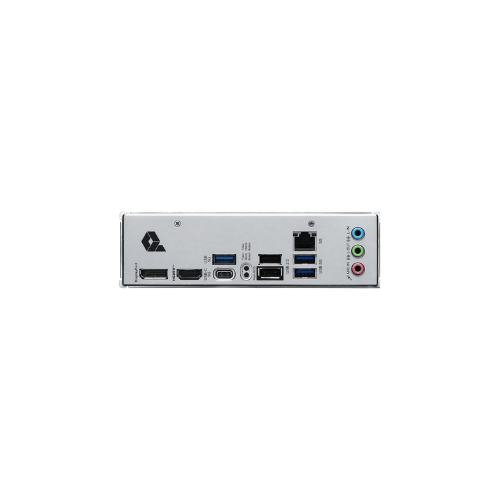
| Graphics Output | HDMI 2.1, DisplayPort 1.4 |
| Expansion Slots | 1× PCIe 4.0 x16, 1× PCIe 3.0 x1 |
| Storage Options | 1× M.2 PCIe 4.0 x4, 4× SATA III |
| Network | Realtek 2.5G LAN (Wired Ethernet) |
| Audio Codec | Realtek ALC897, 7.1-Channel HD Audio |
| USB Ports | USB 3.2 Gen 1, USB 2.0, USB-C (Front Header) |
| BIOS | Click BIOS 5 with Flash BIOS Button |
| Extra Features | Core Boost, Audio Boost, TPM 2.0, M.2 Shield, Steel PCIe Slot, EZ Debug LED |
Supports New AMD Ryzen 7000 CPUs
This motherboard is built for the Ryzen 7000 series, which uses the AM5 socket. These CPUs are fast, smart, and power-efficient. You can use the latest Zen 4 processors for smooth work, fast response, and easy upgrades. Paired with the B850 chipset, you get modern features you won’t find on older motherboards.
DDR5 Memory for Fast Multitasking
The MSI PRO B850M-G supports DDR5 memory, which is faster than DDR4.
- You can install up to 96 GB of RAM.
- Speeds can reach 6400+ MHz depending on the RAM.
- Ideal for multitasking, schoolwork, or running apps.
With two slots, the setup is quick and easy. Just plug and play.
PCIe 4.0 Slot for Graphics Cards
This board has a strong PCIe 4.0 x16 slot. This is where you install your graphics card (GPU).
The slot is reinforced with steel armor to protect it from heavy GPUs.
You also get one extra PCIe 3.0 x1 slot for add-ons like
- Wi-Fi cards
- Sound cards
- Device adapters
Super-Fast Storage Options
You get both M.2 and SATA support for fast and flexible storage.
- 1× M.2 slot (PCIe Gen 4 x4) – Perfect for NVMe SSDs
- 4× SATA III ports – For HDDs or SATA SSDs
Use the M.2 slot for your main drive. It loads Windows, apps, and games very fast. Use SATA ports for extra files, backups, or photos.
Connect Monitors with HDMI or DisplayPort
No GPU? No worries! If you use a Ryzen CPU with built-in graphics, you can plug your monitor into the board.
It includes:
- 1× HDMI 2.1 – Supports 4K video
- 1× DisplayPort 1.4 – Great for high refresh rates
You can also connect two screens at once.
Fast and Reliable Wired Internet
Stay connected with Realtek 2.5G LAN. It’s faster than regular 1G Ethernet.
This helps you:
- Download large files fast
- Stream or video call with no lag
- Game online smoothly
- Transfer files across your network
Rich and Clear Audio with Audio Boost
With the Realtek ALC897 chip, your PC delivers 7.1 surround sound. The audio is:
- Clear
- Loud
- Full of detail
Whether you’re listening to music, gaming, or on a video call, you get great sound.
Audio Boost also improves output through headphones.
USB Ports and Front USB-C
You get plenty of USB ports for daily use.
- USB 3.2 Gen 1 – For fast file transfers
- USB 2.0 – For keyboard, mouse, or printer
- USB-C Header – For front panel device charging
Plug in drives, cameras, phones, gamepads, and more without issue.
Easy-to-Use BIOS with Flash Button
MSI’s Click BIOS 5 is simple to use. It lets you:
- Change boot order
- Monitor system temp
- Adjust fan speed
It also has a Flash BIOS Button, allowing easy BIOS updates without a CPU or RAM. Just plug in a USB stick and press the button.
Debug LED Helps Fix Problems Fast
If your PC won’t turn on, it helps to know why. The EZ Debug LED lights up to show what went wrong.
Each light tells you if it’s a:
- CPU problem
- RAM issue
- Graphics problem
- Boot device error
This saves time, especially for first-time builders.
Windows 11 Ready with TPM
This board supports TPM 2.0, which is needed to run Windows 11. You’ll have no trouble installing the latest Windows update. Plus, your PC will be more secure.
Who Should Buy the MSI PRO B850M-G?
This board is great for:
- 🧑🎓 Students
- 👨💻 Home office use
- 🎮 Casual gamers
- 🧑🔧 First-time PC builders
- 🏠 Everyday family use
If you want modern speed and features without extra cost, this board is a top choice. It’s simple, smart, and sturdy.
Pros and Cons
Pros:
- Supports the latest AMD Ryzen with AM5 socket
- Fast DDR5 RAM support (up to 96GB)
- PCIe 4.0 GPU slot with Steel Armor
- M.2 and 4 SATA for flexible storage
- Realtek 2.5G LAN—faster wired networking
- Easy BIOS with Flash Button
- TPM 2.0 for Windows 11
- Debug LED for simple builds
Cons:
- No built-in Wi-Fi (can be added if needed)
- Only 1 M.2 slot
- No RGB lighting features
Quick Recap—MSI B850M-G in One Glance
| ✅ | Feature |
|---|---|
| ✔ | AM5 CPU support (Ryzen 7000) |
| ✔ | DDR5 RAM up to 96GB |
| ✔ | PCIe 4.0 and Steel Slot |
| ✔ | M.2 Gen 4 SSD + 4 SATA drives |
| ✔ | HDMI and DisplayPort video support |
| ✔ | USB 3.2, USB 2.0, USB-C header |
| ✔ | Realtek 2.5G Ethernet |
| ✔ | BIOS Flash and Debug LED |
| ✔ | TPM 2.0 for Windows 11 |
Final Thoughts—Is the MSI B850M-G Worth It?
Yes! The MSI PRO B850M-G is a great choice for anyone building a new AMD system on the AM5 platform. It’s compact yet packed with modern features like DDR5 RAM, PCIe 4.0, 2.5G LAN, and M.2 SSD support. Whether you’re building for work, school, media, or light gaming, this board is balanced. It’s simple to use, budget-friendly, and future-proof.



Reviews
There are no reviews yet.