

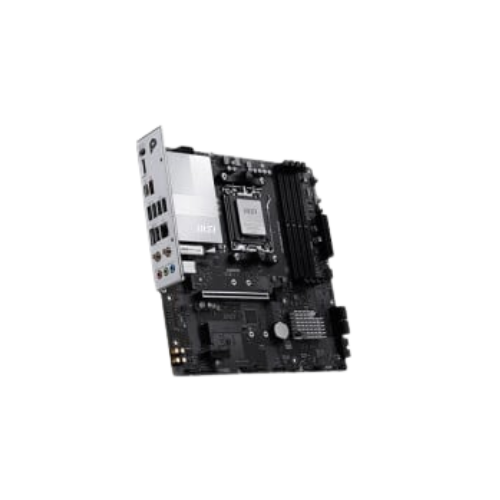

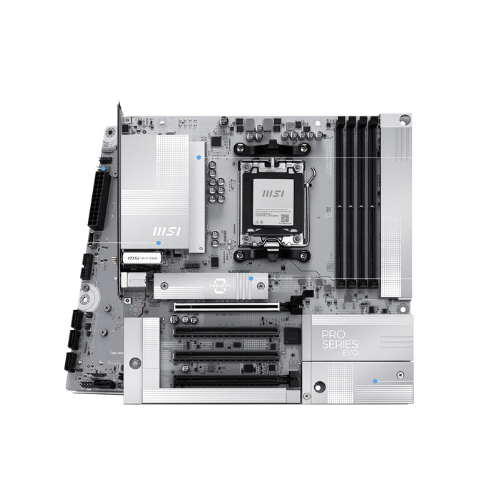

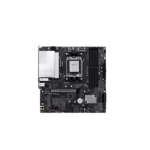
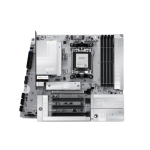
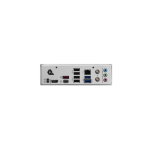
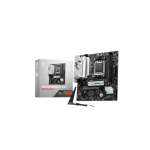
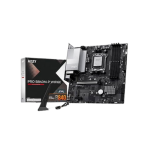
MSI PRO B840M-P WIFI6E AM5 mATX Motherboard
Original price was: 19,000৳ .18,800৳ Current price is: 18,800৳ .
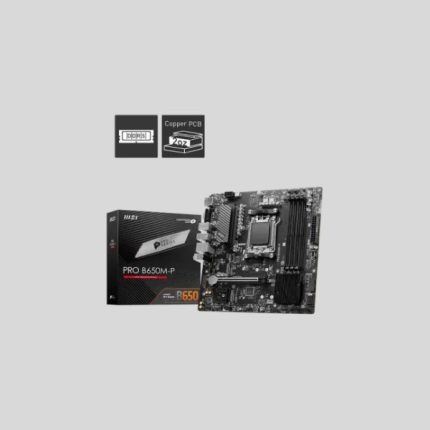
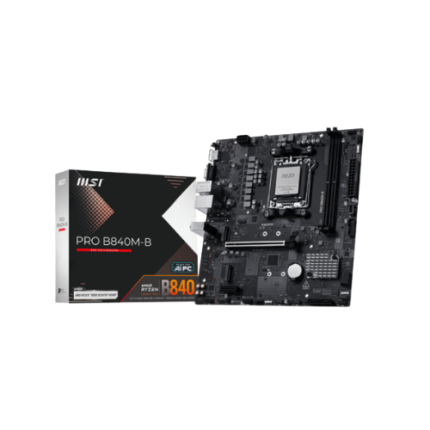
The MSI PRO B840M-P WIFI6E AM5 mATX Motherboard is a small and powerful micro-ATX motherboard made for AMD’s Ryzen 7000 series. It supports the latest AM5 socket, DDR5 memory, and PCIe 4.0. It also comes with built-in Wi-Fi 6E and Bluetooth 5.3, so you can get online right away—no extra card needed. This board packs the features you need in a size that fits smaller PC cases. It’s perfect for home users, students, small offices, or light gaming. If you’re building a modern AMD machine on a budget, it’s a strong choice.
Let’s look at everything it offers in the specs table below.
Specifications Table – MSI PRO B840M-P WIFI6E AM5 Motherboard
| Feature | Details |
|---|---|
| Socket | AMD AM5 |
| CPU Support | Ryzen 7000 Series (Zen 4) |
| Chipset | AMD B840 |
| Form Factor | Micro-ATX (mATX) |
| Memory Support | 2× DDR5 slots, up to 96GB, up to 6400+ MHz (OC) |
| Display Outputs | 1× HDMI 2.1, 1× DisplayPort 1.4 |
| Expansion Slots | 1× PCIe 4.0 x16, 1× PCIe 3.0 x1 |
| Storage Support | 1× M.2 Gen 4 x4 Slot, 4× SATA III |
| Networking | Realtek 2.5G LAN, Wi-Fi 6E, Bluetooth 5.3 |
| Audio Codec | Realtek ALC897, 7.1-Channel High-Definition Audio |
| USB Ports | USB 3.2 Gen 1, USB 2.0, USB-C (Front Header) |
| BIOS | Click BIOS 5, Flash BIOS Button |
| Extra Features | Core Boost, Audio Boost, EZ Debug LED, TPM 2.0, M.2 Shield |
Supports AMD Ryzen 7000 CPUs
This motherboard uses the latest AM5 socket. It works with Ryzen 7000 processors. These are fast, powerful, and perfect for modern PCs.
Whether you’re working, studying, or gaming, this setup gives strong performance. The B840 chipset also supports new features without raising the price.
DDR5 RAM Support for Faster Speed
This board supports DDR5 RAM, letting your system run more smoothly.
You can install:
- Up to 96GB of memory
- At speeds of 6400+ MHz
It has two memory slots, which is plenty for most users. DDR5 memory helps your system boot quickly and move through tasks faster.
PCIe 4.0 Slot for Graphics and Upgrades
You get:
- 1 PCIe 4.0 x16 slot—good for most modern GPUs
- 1 PCIe 3.0 x1 slot—for a sound card or Wi-Fi adapter
The board uses Steel Armor protection for the GPU slot. This gives extra strength to hold large graphics cards in place.
M.2 and SATA Storage Support
For storage, you get:
- 1 M.2 slot with PCIe Gen 4 x4 support
- 4 SATA III ports for hard drives or older SSDs
Install Windows on the M.2 drive for faster boots and fast app loading. Then use SATA drives for more space.
HDMI and DisplayPort Video Outputs
If your Ryzen CPU has integrated graphics, you can use your monitor without buying a GPU.
The board includes:
- 1 HDMI 2.1 port
- 1 DisplayPort 1.4
Both ports support high resolutions and frame rates. Perfect for work, media, or light gaming.
Built-In Wi-Fi 6E + Bluetooth 5.3
One of the best features is built-in Wi-Fi 6E. It gives:
- Faster speeds
- Better coverage
- Less lag for games or video calls
Bluetooth 5.3 makes it simple to connect:
- Wireless keyboards
- Headphones
- Speakers
- Phones
No need to buy extra wireless parts. It’s all built in.
USB Ports for All Devices
You get fast and flexible USB ports, including:
- USB 3.2 Gen 1
- USB 2.0
- Front panel USB-C header
Plug in your flash drives, webcams, phones, and more with ease. Everything you need is covered with plenty of connection options.
Clear Sound with Audio Boost
The board gives you 7.1-channel HD audio. It uses the Realtek ALC897 chipset, which offers:
- Clear voice calls
- Better music playback
- Good sound in movies or games
Audio Boost helps reduce noise and gives a richer sound. No need for a separate sound card.
Easy BIOS with Flash Update Button
The Click BIOS 5 is clean, simple, and easy to use. You can control:
- Boot order
- Fan speeds
- System temps
The board also has a Flash BIOS Button. This lets you update the BIOS without installing a CPU or RAM. Very useful if you’re using a new chip.
EZ Debug LED for Fast Fixes
If your build doesn’t start, the EZ Debug LEDs show which part failed.
Lights marked:
- CPU
- Memory
- VGA
- Boot
This helps you solve problems fast, without guessing.
TPM and Windows 11 Ready
The board supports TPM 2.0, which is required for Windows 11. You can easily install the latest version and take full advantage of its security features.
Perfect for Daily Use, Work, or First Builds
This motherboard is great for:
- 🧑🎓 Students building a PC
- 👨💼 Office desktops
- 🏡 Home users
- 🎮 Light gaming setups
- 🧑🔧 PC building beginners
You get modern features, strong build quality, and easy setup. No need for extra cards or complex options.
Pros and Cons
Pros:
- AM5 socket with Ryzen 7000 support
- DDR5 memory up to 96GB and 6400+ MHz
- PCIe 4.0 slot for good graphics cards
- Built-in Wi-Fi 6E and Bluetooth 5.3
- M.2 PCIe Gen 4 and 4 SATA ports
- Clear 7.1 audio with Audio Boost
- Debug LEDs and Flash BIOS Button
- Budget-friendly with premium features
Cons:
- Only 1 M.2 slot
- Only 2 RAM slots
- Not made for extreme gaming or heavy editing
Summary Recap – MSI PRO B840M-P WIFI6E (AM5)
| 📌 | Key Feature |
|---|---|
| ✅ | AM5 socket for AMD Ryzen 7000 |
| ✅ | Supports DDR5 up to 96GB |
| ✅ | PCIe 4.0 and Steel Armor GPU slot |
| ✅ | 1× M.2 Gen 4 + 4× SATA |
| ✅ | Wi-Fi 6E and Bluetooth 5.3 built-in |
| ✅ | HDMI + DP video outputs |
| ✅ | USB-C front header and multiple USB ports |
| ✅ | BIOS Flash Button and Debug LEDs |
Final Thoughts—A Great Micro-ATX AMD Board
The MSI PRO B840M-P WIFI6E is a well-built board that’s perfect for anyone setting up a new AM5 AMD PC. It offers fast DDR5, Wi-Fi 6E, and good BIOS tools in a compact size. If you want a modern system that runs fast, connects quickly, and offers strong features, this board is a winner—especially for everyday builds.


Reviews
There are no reviews yet.