


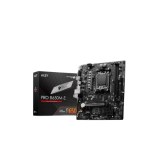


MSI PRO B650M-E AM5 mATX Motherboard
Original price was: 12,500৳ .10,900৳ Current price is: 10,900৳ .
The MSI PRO B650M-E AM5 mATX Motherboard is a compact and capable motherboard for AMD’s new Ryzen 7000 series CPUs. Built with the AM5 socket, it supports new features such as DDR5 RAM, PCIe 4.0, and fast M.2 storage. This board is great for people planning an affordable and modern PC build. It works well for home use, school, or work. You can even play games or stream media with this system. Even though it’s a small Micro-ATX board, the MSI PRO B650M-E gives you many powerful features. It is strong, simple, and easy for new builders.
Full Specifications Table – MSI PRO B650M-E
| Feature | Details |
|---|---|
| Socket | AM5 |
| CPU Support | AMD Ryzen 7000 Series (Zen 4) |
| Chipset | AMD B650 |
| Form Factor | Micro-ATX (mATX) |
| Memory Support | 2× DDR5 DIMM slots, up to 96GB, up to 6400+ MHz (OC) |
| Graphics Outputs | 1× HDMI 2.1, 1× DisplayPort 1.4 |
| Expansion Slots | 1× PCIe 4.0 x16, 2× PCIe 3.0 x1 |
| Storage Options | 1× M.2 (PCIe 4.0 x4), 4× SATA III |
| USB Ports | USB 3.2 Gen 1, USB 2.0, USB-C (front header) |
| LAN | Realtek Gigabit Ethernet |
| Audio Codec | Realtek ALC897 HD Audio |
| BIOS | Click BIOS 5, Flash BIOS Button |
| Extra Features | Audio Boost, Core Boost, TPM, EZ Debug LED, Steel PCIe Slot |
Built for Ryzen 7000 CPUs
This motherboard supports AMD Ryzen 7000 CPUs. These are fast and latest-generation chips built on the Zen 4 platform. The AM5 socket offers better power and higher speeds than older AM4 boards. So you get high performance right from the start. The B650 chipset gives you access to new tech like PCIe Gen 4 and DDR5 memory.
Fast DDR5 RAM Support
The board uses DDR5 memory, which is faster and smarter than DDR4.
You get:
- 2 RAM slots
- Up to 96 GB of of memory
- Support for 6400+ MHz (overclocked speed)
This gives you smooth performance for big apps, video streaming, multitasking, and casual gaming.
Just add two DDR5 sticks, and your setup is ready to fly.
Use CPU Graphics with HDMI and DP
The MSI B650M-E has:
- 1 x HDMI 2.1
- 1 x DisplayPort 1.4
You can easily connect modern or older monitors. If your Ryzen CPU has integrated graphics, you can skip buying a GPU at first. These ports let you use your desktop right away.
Later, you can install a graphics card for more power.
PCIe Slots and Upgrade Room
This board has three key expansion slots:
- 1 x PCIe 4.0 x16
- 2 x PCIe 3.0 x1
Use the main slot for a graphics card.
Use the other two for extra parts like
- Wi-Fi cards
- Sound cards
- Capture cards
Even though the board is small, it gives enough room to grow later.
M.2 and SATA for Fast Storage
The PRO B650M-E gives good storage options:
- 1 x M.2 slot with PCIe 4.0 ×4 speed
- 4 x SATA III ports
The M.2 slot is great for NVMe SSDs. These drives are very fast and quiet.
SATA ports let you add old or large drives, too.
You can use M.2 for your Windows and apps. Use a SATA SSD or HDD for your files and movies.
Plenty of USB Ports
The board has:
- USB 3.2 Gen 1 ports (fast)
- USB 2.0 ports (great for keyboard/mouse)
- A USB-C header for your front case port
So whether you use flash drives, phones, or webcams, you have ports ready to go.
Realtek LAN for Stable Internet
The built-in Realtek Gigabit LAN delivers fast, stable wired internet.
Perfect for:
- Video calls
- Downloads
- Online work
- Streaming
The board does not include Wi-Fi. But you can add it using a PCIe or USB adapter.
Clear Audio with Audio Boost
It uses the Realtek ALC897 audio chip. With Audio Boost, your music, movies, and calls will sound clear and smooth. You get a clean sound, free of distortion or noise. It’s great for speakers or headphones.
Easy BIOS and Flash Features
The board includes:
- Click BIOS 5—simple menu and layout
- EZ Mode—for quick settings
- Advanced Mode—to fine-tune performance
You also get a Flash BIOS button. This helps you install a new BIOS with:
- No CPU
- No RAM
- Just a USB drive
It’s great for updating before adding a new Ryzen chip.
Smart and Useful Features
The board has helpful tools for beginners and pros:
- Core Boost—sends clean power to your CPU
- EZ Debug LED – shows errors during startup
- Steel PCIe Slot – keeps your graphics card safe
- TPM 2.0 Support – works with Windows 11
These tools make your build easier and safer.
Who Should Buy This Motherboard?
- 💻 Office PC setups
- 🎓 Students and creators
- 🏠 Home desktops
- 📺 Media players
- 🛠️ First-time PC builders
It’s not made for very high-end gaming. But for most users, it offers more than enough speed and features.
Pros and Cons Summary
Pros
- Supports fast DDR5 memory
- PCIe 4.0 for graphics and storage
- M.2 for quick boot times
- Flash BIOS without CPU/RAM
- HDMI and DisplayPort included
- The steel slot protects your GPU
Cons
- No Wi-Fi included
- Only 2 RAM slots
- Not built for hardcore overclocking
Recap: MSI PRO B650M-E AM5 mATX Motherboard
- ✅ Built for Ryzen 7000 CPUs
- ✅ Uses AM5 socket with B650 chipset
- ✅ Fast DDR5 RAM support (up to 96GB)
- ✅ PCIe 4.0 GPU and M.2 drive support
- ✅ Integrated video outputs
- ✅ BIOS with Flash button (no CPU required)
- ✅ Ideal for home, office, and light gaming builds
Final Thoughts—Is It Worth It?
Yes, the MSI PRO B650M-E is a great value motherboard. It offers the latest features, including DDR5, PCIe 4.0, and fast NVMe support. It’s easy to set up, has strong build quality, and covers all the basics.
For new builds on a budget with Ryzen 7000 CPUs, this board is a clear winner.




Reviews
There are no reviews yet.