
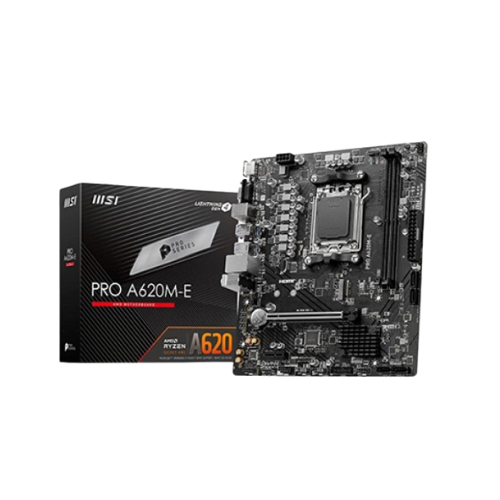
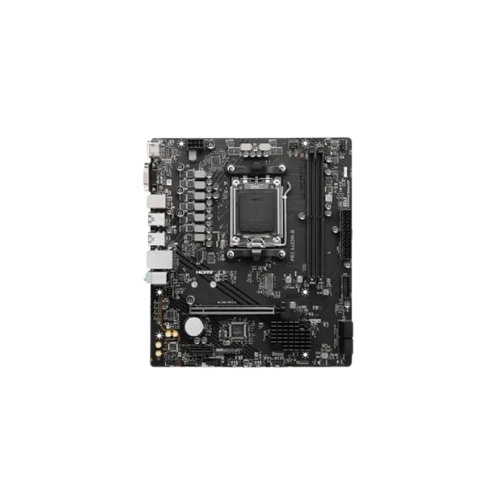
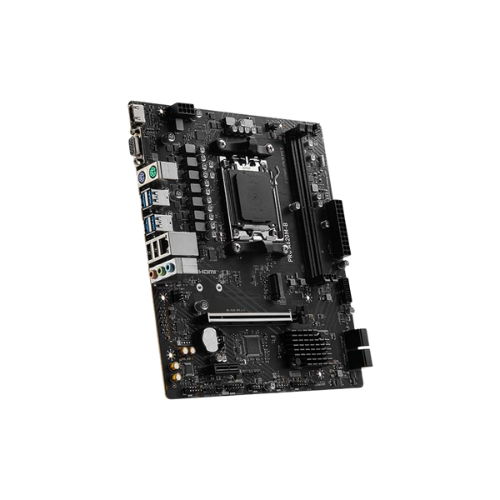


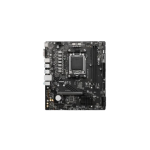
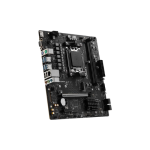
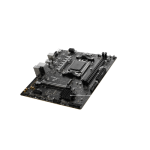
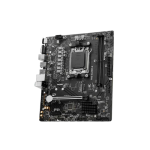
MSI PRO A620M-B AM5 mATX Motherboard
Original price was: 11,800৳ .10,900৳ Current price is: 10,900৳ .
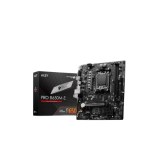
The MSI PRO A620M-B AM5 mATX Motherboard is made for AM5 CPUs. It’s great for people who want solid PC performance without high costs. Its micro-ATX size fits most PC cases, and its features support work, study, and even light gaming. This board puts focus on stability, ease of use, and value. It’s built using AMD’s latest A620 chipset. That means you can use it with Ryzen 7000 series CPUs. Newer tech like DDR5 RAM and super-fast storage is also supported.
Let’s break it down in detail so you can see if this board is the right one for you.
MSI PRO A620M-B AM5 – Specifications Table
| Feature | Details |
|---|---|
| CPU Socket | AM5 |
| CPU Support | AMD Ryzen 7000 Series (Zen 4) |
| Chipset | AMD A620 |
| Form Factor | Micro-ATX (mATX) |
| Memory | 2× DDR5 DIMMs, up to 96GB, up to 6000+ MHz (OC) |
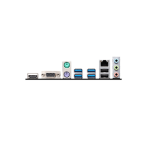
| Graphics Output | 1× HDMI 2.1, 1× DisplayPort 1.4 |
| PCIe Slots | 1× PCIe 4.0 x16, 2× PCIe 3.0 x1 |
| Storage | 1× M.2 (PCIe 4.0 x4), 4× SATA III |
| Audio Codec | Realtek ALC897 |
| LAN | Realtek GbE LAN |
| USB Ports | USB 3.2 Gen 1, USB 2.0, USB-C (Front Panel) |
| BIOS | Click BIOS 5 (UEFI), BIOS Flash Button |
| Special Features | TPM support, EZ Debug LED, Core Boost, Audio Boost |
CPU and Chipset Support
This board uses the new AM5 socket. That means it works only with AMD Ryzen 7000 series processors. These CPUs are fast, power-efficient, and great for everyday use. Whether you’re working, studying, or gaming casually, they give strong performance. The board uses the A620 chipset, which is entry-level but still powerful. It supports modern RAM and storage standards, making it future-ready.
DDR5 Memory Support
One big upgrade is DDR5 RAM. The board comes with two memory slots and supports up to 96 GB in total.
This is more than enough for most users.
- Fast loading times
- Smooth video calls
- Open many browser tabs
- Work on documents with no delay
With memory speeds up to 6000+ MHz, you get quick response times even while multitasking.
Graphics Ports
The MSI PRO A620M-B has two display options:
- HDMI 2.1
- DisplayPort 1.4
If you use a Ryzen CPU that includes integrated graphics, you can use these ports right away. That way, you don’t need a graphics card unless you want one for gaming or creative work.
Expandability and Slots
The board lets you add extra parts:
- 1 x PCIe 4.0 x16 for a graphics card
- 2 x PCIe 3.0 x1 for Wi-Fi, sound cards, or capture cards
This makes the board flexible. You can build your PC today and still upgrade it later.
Fast and Big Storage
The motherboard supports:
- 1 x M.2 slot (PCIe 4.0 x4)
- 4 x SATA III ports
Put your system on the M.2 drive, and it will load in seconds. Store your files on a big SATA drive.
You can enjoy speed and size without worry.
USB and Connectivity
You get plenty of USB ports for everyday use:
- USB 3.2 Gen 1 ports (for high-speed devices)
- USB 2.0 (for arms like a keyboard or a mouse)
- USB-C header for front case access (great for phones and fast drives)
Audio and LAN
This board comes with a Realtek ALC897 audio chip. It gives clear sound for songs, videos, and voice calls. The 1 Gbps LAN port delivers a stable, fast internet connection. That means smooth browsing, online work, and video streaming.
BIOS and Setup
The motherboard has Click BIOS 5, an easy-to-use menu that lets you adjust settings such as fan speed and boot order. Another great feature is the BIOS Flash Button. You can update the board without a CPU or RAM installed. Very helpful for new users. Also, the EZ Debug LED shows where a problem is if your PC doesn’t start. That saves time and stress.
Special Features
Even though this board is entry-level, MSI still added some bonus tools:
- Core Boost: Sends better power to your CPU.
- Audio Boost: Gives a cleaner sound.
- TPM Support: Helps with security features like Windows 11.
- Steel PCIe Slot: Keeps your graphics card from bending.
These little extras make things run smoother and last longer.
Great for whom?
This board is an amazing option for:
- 🧑🎓 Students
- 💼 Office workers
- 🏠 Home users
- 📺 Media lovers
- 🧑🔧 Budget PC builders
It’s not for overclocking or heavy gaming. But for most jobs, it’s strong, stable, and easy to use.
Pros and Cons
Pros
- Affordable AM5 board
- Supports DDR5 RAM
- Has M.2 storage slot
- Easy BIOS updates
- USB-C front panel header
- Good for work and school
Cons
- Only two RAM slots
- No Wi-Fi built-in
- Not ideal for high-end gaming
Recap Summary
Here’s what you get with the MSI PRO A620M-B:
- 🔩 AM5 socket for Ryzen 7000 CPUs
- ⚙️ A620 chipset with modern features
- 🔌 DDR5 RAM supports up to 96 GB.
- 💽 M.2 NVMe storage support
- 🎧 Audio + LAN with Realtek chips
- 🔄 Easy BIOS with Flash Button
- 🔍 Debug LEDs for simple troubleshooting
Final Thoughts
The MSI PRO A620M-B is a smart pick if you’re building a new Ryzen AM5 PC on a budget. It’s a no-frills board, but it covers everything you need—fast RAM, quick drives, great CPU support, and enough room for upgrades. It’s perfect for home offices, student PCs, or starter builds. If you need a reliable motherboard with modern features, this one is a great place to start.
So if you’re ready for AM5 and DDR5 without spending a fortune, this board is worth every penny.


Reviews
There are no reviews yet.