
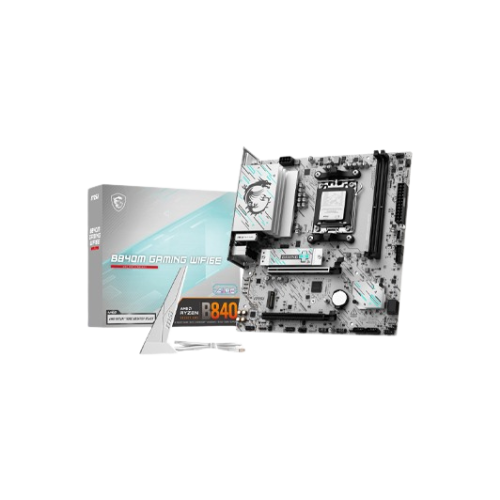
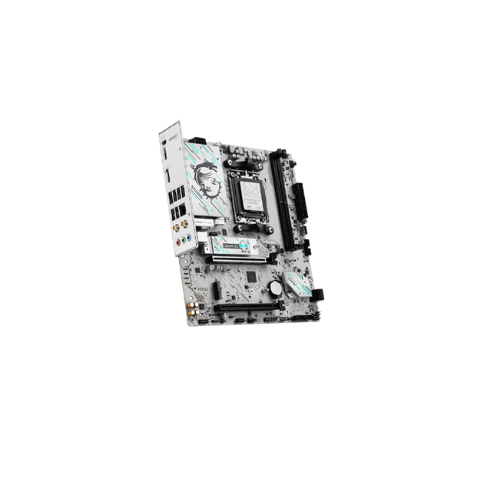
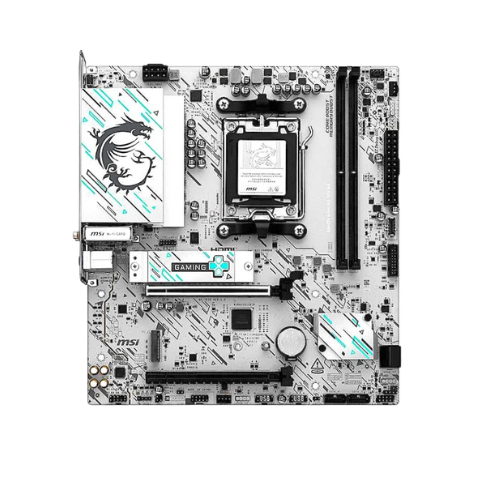
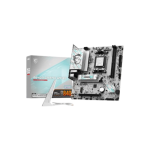
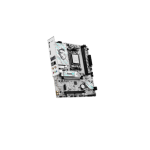
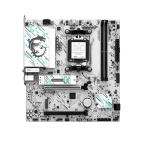
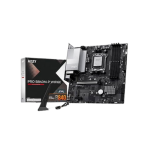
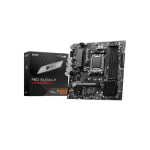
MSI B840M GAMING PLUS WIFI6E AM5 mATX Motherboard
Original price was: 19,500৳ .19,300৳ Current price is: 19,300৳ .
The MSI B840M GAMING PLUS WIFI6E AM5 mATX Motherboard is a fun and powerful micro-ATX motherboard for new AMD Ryzen 7000 processors. You get support for the latest AMD CPUs, along with Wi-Fi, Bluetooth, and fast DDR5 memory. The board also includes speedy M.2 storage, USB-C, and helpful build tools. All these features make it a great pick for gamers, students, or everyday users.
This board is perfect for gamers, first-time builders, and home or work users. Want to build a gaming PC on a budget? You’ll love this one.
MSI B840M GAMING PLUS WIFI6E – Full Specs
| Feature | Details |
|---|---|
| CPU Support | AMD Ryzen 7000 Series (Zen 4) |
| Socket | AM5 |
| Chipset | AMD B840 |
| Form Factor | Micro-ATX (mATX) |
| Memory Support | 2× DDR5 DIMMs, up to 96GB, up to 6400+ MHz OC |
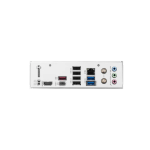
| Graphics Outputs | HDMI 2.1, DisplayPort 1.4 |
| Expansion Slots | 1× PCIe 4.0 x16, 1× PCIe 3.0 x1 |
| Storage Options | 1× M.2 PCIe Gen 4 x4, 4× SATA III |
| Audio Codec | Realtek ALC897, 7.1 HD Audio |
| Networking | Realtek 2.5Gb LAN, Wi-Fi 6E, Bluetooth 5.3 |
| USB Ports | USB 3.2 Gen 1, USB 2.0, USB-C Front Header |
| BIOS | Click BIOS 5 with Flash BIOS Button |
| Special Features | Core Boost, Audio Boost, EZ Debug LED, TPM 2.0, M.2 Shield, Steel PCIe Slot |
Ready for Ryzen 7000 CPUs
This board works with AMD Ryzen 7000 series processors. It uses the modern AM5 socket. This makes your system faster, more efficient, and more powerful than older ones.
Just plug in a Ryzen 7000 CPU and go. It’s that simple.
Fast DDR5 RAM Support
This motherboard uses DDR5 memory, which is faster than DDR4.
You get:
- 2 RAM slots
- Up to 96GB of memory
- Up to 6400+ MHz speed
That means quick loading, fast multitasking, and better game performance.
Built for Gaming With PCIe 4.0
Want to use a graphics card? No problem.
The board gives you:
- 1 PCIe 4.0 x16 slot for your GPU
- 1 PCIe 3.0 x1 slot for extras like Wi-Fi or sound
The main slot has Steel Armor. It helps support heavier graphics cards.
M.2 NVMe + SATA for Storage
You get:
- 1× M.2 Gen 4 slot for speedy NVMe SSD
- 4× SATA ports for hard drives or older SSDs
You can boot your PC from the M.2 drive for super-fast loading. Then use SATA drives for big files.
HDMI and DisplayPort for Video
No graphics card? That’s fine.
If your CPU has graphics built in, you can use
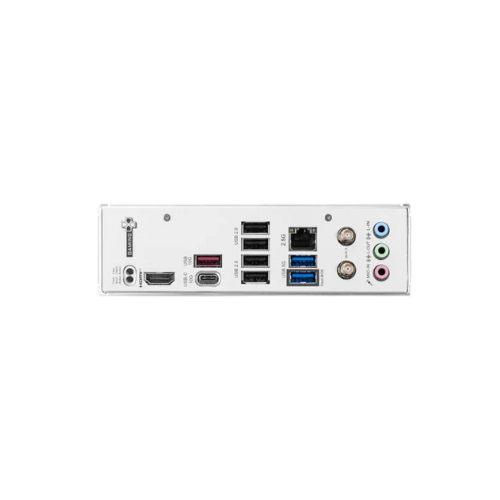
- 1× HDMI 2.1 port
- 1× DisplayPort 1.4
Both support 4K and smooth frame rates. Great for work, gaming, and media.
Wi-Fi 6E + Bluetooth 5.3 Included
No need for add-ons. You get:
- Wi-Fi 6E for fast, stable, wireless internet
- Bluetooth 5.3 for wireless headphones, controllers, or devices
It works right out of the box. That’s perfect for laptops or homes without an Ethernet connection.
Clear Sound with Audio Boost
This board uses Realtek ALC897 for great sound.
With Audio Boost, it:
- Reduces noise
- Boosts volume
- Gives clear 7.1 surround sound
Gamers and streamers will love the difference.
Full USB Support + USB-C Front Header
You get all the ports you need:
- Fast USB 3.2 Gen 1
- Simple USB 2.0
- USB-C for your case’s front panel
Use it to charge phones, plug in drives, and connect gamepads or headsets.
Easy BIOS With Simple Updates
MSI’s Click BIOS 5 is very beginner-friendly.
You can:
- Change boot priority
- Check hardware info
- Control fan speed
Need a BIOS update? Use the Flash BIOS Button. No CPU or RAM needed. Just plug in a flash drive and press.
EZ Debug LED Solves Problems Fast
If your PC has a problem, this board helps you find it fast.
The EZ Debug LEDs light up to show what’s wrong:
- CPU
- RAM
- GPU
- Boot drive
You’ll save time and stress during setup.
Windows 11 Ready with TPM 2.0
Want to use Windows 11?
This board supports TPM 2.0, which means it’s fully ready. No extra hardware needed.
Who Should Get This Board?
The MSI B840M GAMING PLUS WIFI6E is perfect for:
- 🧑🎓 Students
- 🏡 Home users
- 👨💻 Office builds
- 🎮 Casual or budget gamers
- 🧑🔧 First-time PC builders
It gives you new features without the high cost. You get what you need with no extra fluff.
Pros and Cons
Pros:
- Works with Ryzen 7000 (AM5 socket)
- Fast DDR5 RAM supports up to 96 GB.
- Built-in Wi-Fi 6E + Bluetooth 5.3
- PCIe 4.0 with Steel slot for GPUs
- USB-C front header
- Audio Boost for rich sound
- EZ Debug + Flash BIOS Button
- TPM 2.0 for Windows 11
Cons:
- Only 2 RAM slots
- One M.2 slot
- No built-in RGB effects
MSI B840M GAMING PLUS WIFI6E – Recap Table
| ✅ | Feature |
|---|---|
| ✔️ | Works with AMD Ryzen 7000 CPUs |
| ✔️ | AM5 socket + B840 chipset |
| ✔️ | DDR5 RAM supports up to 96GB |
| ✔️ | PCIe 4.0 slot + Steel protection |
| ✔️ | Wi-Fi 6E + Bluetooth 5.3 |
| ✔️ | 1× M.2 + 4× SATA |
| ✔️ | HDMI and DisplayPort outputs |
| ✔️ | USB 3.2, USB 2.0, USB-C header |
| ✔️ | BIOS Flash Button and Debug LEDs |
| ✔️ | Windows 11 Ready with TPM 2.0 |
Final Thoughts—Why It’s a Great Buy
If you want a small but fast AM5 motherboard that covers all the basics (and more), pick the MSI B840M GAMING PLUS WIFI6E. It gives you new CPU support, Wi-Fi, Bluetooth, DDR5 RAM, fast storage, and helpful setup tools. Whether you’re gaming, working, or learning, this board has you covered.


Reviews
There are no reviews yet.