
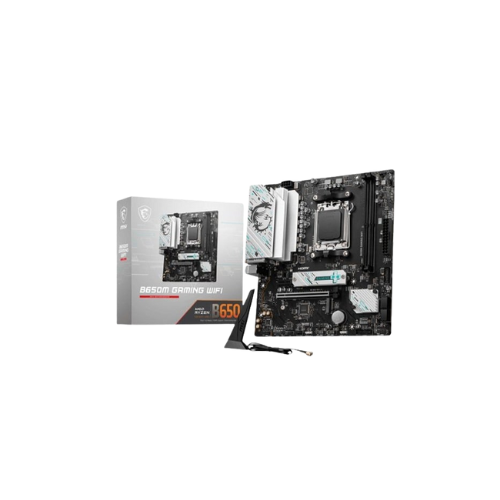
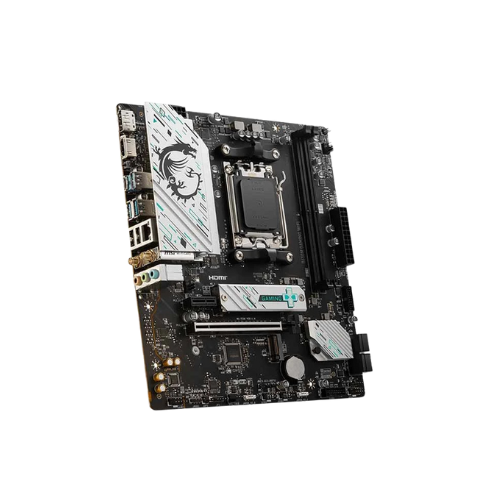
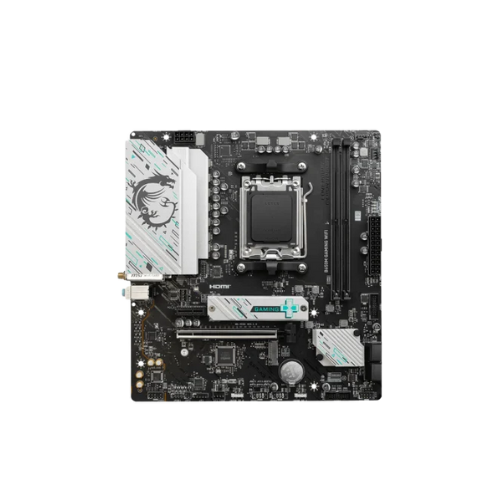
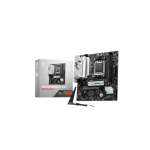
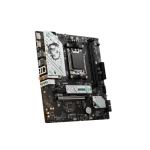
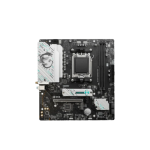
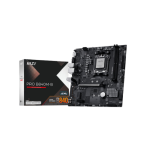
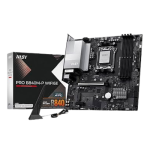
MSI B650M GAMING WIFI AM5 mATX Motherboard
Original price was: 19,000৳ .17,400৳ Current price is: 17,400৳ .
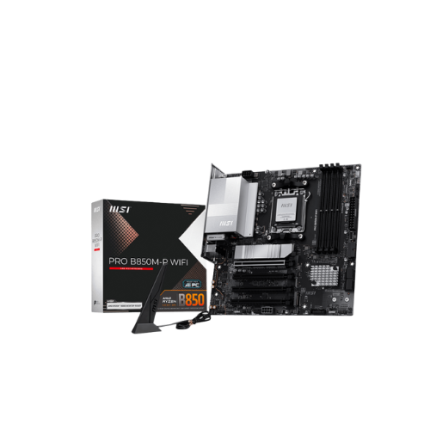
The MSI B650M GAMING WIFI AM5 mATX Motherboard is a Micro-ATX motherboard made for AMD’s Ryzen 7000 processors. It uses the newest AM5 socket and supports DDR5 memory, fast storage, and PCIe 4.0. It even has Wi-Fi 6E and Bluetooth built in right out of the box. This board is perfect for people who want to play games, stream, or build a strong and modern PC. Despite its small size, it fits into most cases and still offers powerful features found in bigger, more expensive boards.
Let’s explore everything it has to offer—starting with the main spec sheet.
Specifications Table – MSI B650M GAMING WIFI (AM5)
| Feature | Details |
|---|---|
| CPU Socket | AMD AM5 |
| CPU Support | AMD Ryzen 7000 Series (Zen 4 architecture) |
| Chipset | AMD B650 |
| Form Factor | Micro-ATX (mATX) |
| Memory Support | 2× DDR5 DIMM, up to 96GB, up to 6400+ MHz (OC) |
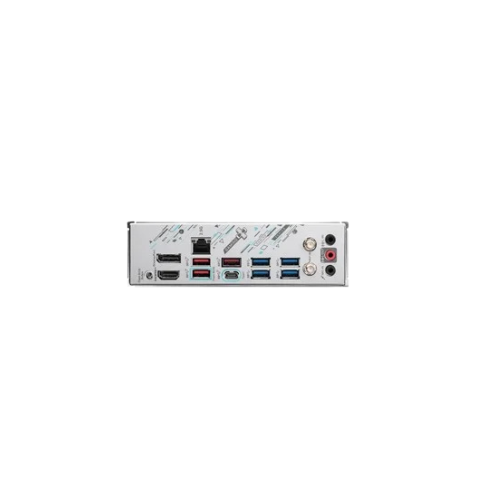
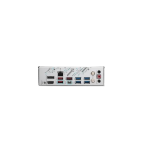
| Graphics Outputs | HDMI 2.1, DisplayPort 1.4 |
| Expansion Slots | 1× PCIe 4.0 x16, 1× PCIe x1 |
| Storage Options | 1× M.2 PCIe 4.0 x4, 4× SATA III |
| Audio Codec | Realtek ALC897, up to 7.1-channel HD audio |
| LAN | Realtek 2.5GbE |
| Wireless | Wi-Fi 6E, Bluetooth 5.3 |
| USB Ports | USB 3.2 Gen 1, USB 2.0, USB-C (Front Panel Header) |
| BIOS | Click BIOS 5, Flash BIOS Button |
| Special Features | Core Boost, Audio Boost, EZ Debug LED, TPM 2.0, Steel PCIe Slot, M.2 Shield |
Built to Support AMD Ryzen 7000 CPUs
This motherboard uses the newest AM5 socket. It is made to support the AMD Ryzen 7000 Series, including Ryzen 5, Ryzen 7, and Ryzen 9 models. These chips are fast and power-friendly. You can play games, stream, and work—all without slowdowns. With the AMD B650 chipset, you’re getting next-gen features at a more affordable price.
Fast DDR5 Memory Support
The board supports DDR5 RAM, which is much faster than DDR4.
You get:
- 2 memory slots
- Up to 96GB total RAM
- Speeds up to 6400+ MHz (overclockable)
This helps games load fast, lets apps run better, and improves multitasking.
PCIe 4.0 Slot for Big Graphics Cards
For gaming, you’ll want a good video card. This board includes:
- 1 x PCIe 4.0 x16 slot—where your GPU goes
- 1 x PCIe x1 slot – for extras like sound or network cards
The x16 slot features Steel Armor, which reinforces it to support heavy graphics cards.
This keeps your GPU from bending or moving, even after years of use.
Speedy Storage with M.2 and SATA
Store games, Windows, and large files as quickly as possible.
You get:
- 1 x M.2 PCIe 4.0 x4 slot for NVMe SSD
- 4 x SATA III ports for SSDs and hard drives
Use the M.2 slot for your main drive. It helps your PC start almost instantly. Loading screens? Nearly gone.
Use HDMI or DisplayPort for Video Output
If your AMD CPU has built-in graphics, you can use this board without a graphics card.
It has:
- 1 × HDMI 2.1 port
- 1 × DisplayPort 1.4 port
These ports deliver crisp video for gaming, video streaming, and work apps.
Built-In Wi-Fi 6E and Bluetooth 5.3
One of the best features is built-in Wi-Fi 6E. It gives you:
- Faster speeds
- Lower delay
- Better range
Also included is Bluetooth 5.3, so you can:
- Use wireless headsets
- Sync your phone
- Add Bluetooth speakers
No extra cards or adapters needed.
Lots of USB Ports + USB-C Front Header
There are many USB slots for your gear. You get:
- USB 3.2 Gen 1 Type-A ports
- USB 2.0 ports
- A USB-C front header (great for newer cases)
Plug in phones, gamepads, headsets, and flash drives without worry.
Click BIOS 5 and the Easy Flash button.
The MSI Click BIOS 5 lets you adjust settings with ease. It is:
- Simple
- Clear
- Mouse-friendly
The Flash BIOS Button lets you update your BIOS with:
- No CPU
- No RAM
- Just a USB flash drive
That’s helpful if you use a newer chip that needs the latest BIOS.
EZ Debug LED for Easy Problem Solving
It can be scary if your PC doesn’t turn on. But this board helps.
You get EZ Debug LEDs. These lights show what part is causing the issue:
- CPU
- RAM
- Graphics
- Storage
You can fix problems faster—with no guessing.
7.1 HD Sound with Audio Boost
MSI added Audio Boost tech. It gives you clearer and richer sound with:
- Better bass
- Louder volume
- Less noise
The Realtek ALC897 codec supports 7.1 surround sound, which is great for:
- Gaming
- Movies
- Calls
- Music
TPM 2.0 and Windows 11 Support
Need Windows 11?
This board supports TPM 2.0, which is required for Microsoft’s latest OS. You can install and run Windows 11 with no issues.
Great for Gamers and PC Builders
This board is made for:
- 🕹 Casual and pro gamers
- 💻 Streamers or content creators
- 🧑🔧 New PC builders
- 🏠 Home and office users
- 🧑🎓 Students building their first PC
It’s strong, flexible, and ready for modern gaming systems.
Pros and Cons
Pros:
- AM5 support for the latest AMD chips
- Fast DDR5 memory up to 96GB
- PCIe 4.0 slot with Steel Armor
- Fast M.2 NVMe + 4 SATA ports
- Wi-Fi 6E and Bluetooth 5.3 built-in
- BIOS Flash button and Debug LED
- USB-C front panel header
- 7.1 audio with Audio Boost
- Easy to use and set up
Cons:
- Only 1 M.2 slot
- No RGB lighting
- Only 2 RAM slots (but 96GB is enough for most)
Quick Recap – MSI B650M GAMING WIFI
| ✔ | AM5 socket for Ryzen 7000 CPUs |
|---|---|
| ✔ | DDR5 supports up to 96 GB. |
| ✔ | PCIe 4.0 for GPUs |
| ✔ | M.2 Gen 4 for blazing storage |
| ✔ | Built-in Wi-Fi 6E and Bluetooth 5.3 |
| ✔ | HDMI + DisplayPort for video output |
| ✔ | Audio Boost + 7.1 audio for clear sound |
| ✔ | Flash BIOS Button and Debug LED |
| ✔ | Great for gaming, streaming, or daily tasks |
Final Thoughts—Is It a Good Motherboard?
Yes! The MSI B650M GAMING WIFI is one of the best-value AM5 boards with built-in Wi-Fi, fast storage, and full support for DDR5 RAM and AMD Ryzen 7000 processors. It’s easy to set up. It fits in most cases. It has stable power, fast memory, and good sound. Performance and price come together perfectly in this model. If you want a small, strong motherboard for gaming and more, this one is for you.



Reviews
There are no reviews yet.