
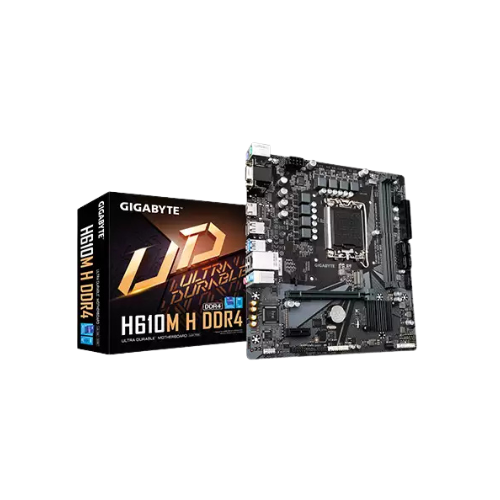
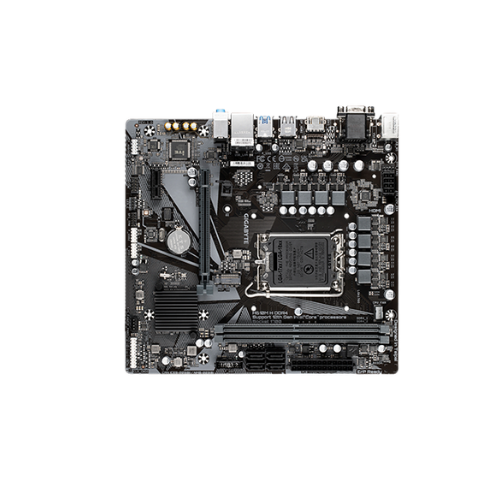
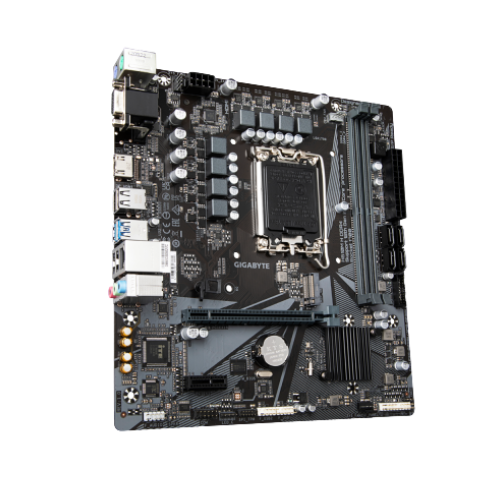
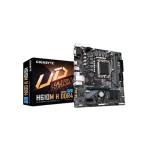
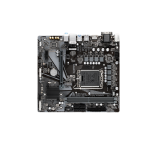
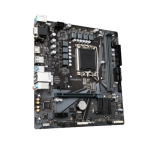
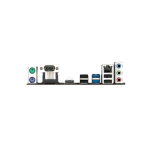
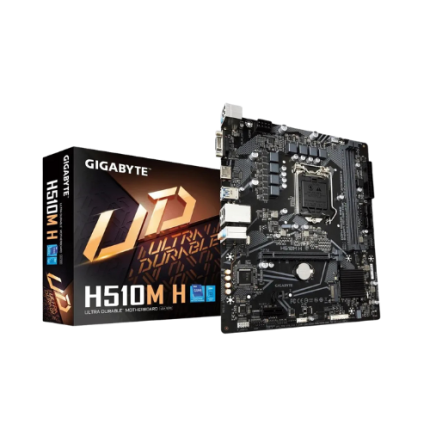
Gigabyte H610M H DDR4 12th Gen Micro ATX Motherboard
Original price was: 11,800৳ .9,500৳ Current price is: 9,500৳ .
The Gigabyte H610M H DDR4 12th Gen Micro ATX Motherboard is small, fast, and easy to use. It works with Intel’s 12th Gen chips. This makes it great for school, home, or office use. You don’t need too much space. This board fits in smaller PC cases.
It uses DDR4 memory. You can add fast RAM up to 3200 MHz. It also supports PCIe Gen 4. So you can use better graphics cards. You can also use fast M.2 storage. This helps your PC start up and load faster.
The power it gives to your parts is strong and steady. That means fewer problems when your PC is on. It works great for people who want good tools but don’t want to spend too much.
If you want to watch videos, work, or play casual games, this board can do all of that. It gives clear sound and high-quality video. You can use HDMI or VGA to connect to screens. It even supports 4K, which looks great.
After the first 100 words, here is a full table of the specs. We’ve kept it simple and easy to read.
Gigabyte H610M H DDR4 – Key Specs Summary
| Feature | Details |
|---|---|
| Form Factor | Micro ATX |
| CPU Support | Intel 12th Gen (LGA 1700 Socket) |
| Chipset | Intel H610 |
| Memory Support | 2 x DDR4 Slots, up to 64GB, 2133–3200 MHz |
| Graphics Slot | PCIe 4.0 x16 for GPU |
| Extra Slot | 1 x PCIe x1 |
| Storage Options | 1 x M.2 (PCIe 3.0), 4 x SATA 6Gb/s |
| Sound Support | 7.1 HD Audio via Realtek ALC897 chip |
| LAN / Internet | Gigabit LAN (Realtek) |
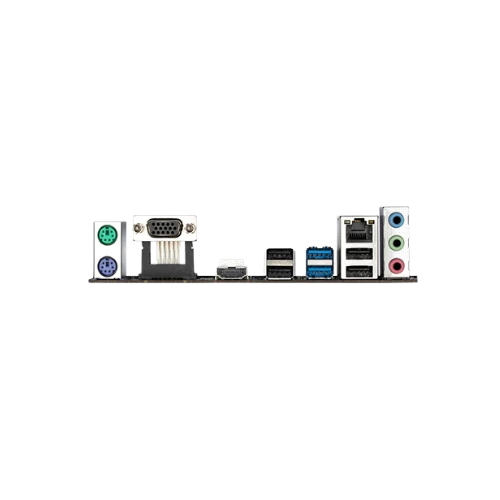
| Rear USB Ports | 2 x USB 3.2 Gen1, 2 x USB 2.0 |
| Front USB Support | Yes (2 x USB 2.0, 2 x USB 3.2 Gen1 Headers) |
| Display Outputs | 1 x HDMI 2.0 (4K at 60 Hz), 1 x VGA (D-Sub) |
| BIOS | UEFI Supports Easy Mode and Advanced Mode |
| Power Design | 5+2 Phase Hybrid Digital VRM |
| OS Support | Windows 11 / Windows 10 (64-bit only) |
| Size | 22.6cm x 18.5cm (Compact size) |
Features Explained in Simple Words
Easy to Set Up
This board is great for first-time PC builders. It has a clear layout. You don’t need to be a tech expert. Plug in the main parts, and you’re good to go.
Fast Memory and Smooth Use
You get two memory slots. You can use up to 64 GB of RAM. This is more than enough for tasks like homework, office work, watching movies, or light gaming.
Fast RAM means your apps open quicker. Your system won’t freeze when switching between programs.
Display and Video
It has two ways to connect a screen: HDMI and VGA. HDMI is better. It supports 4K video at 60 Hz. That means your video looks sharp and smooth.
You can also still use older monitors with VGA if needed.
Graphics and Gaming
Want to add a graphics card? You can! There is one PCIe 4.0 slot for that. This allows better performance in games or video work. It lets you upgrade when you’re ready.
This is not a pro-gaming motherboard, but you can play many games with the right parts added.
Fast Storage Options
This board supports one M.2 drive. That means super-fast storage. It helps your PC start up quickly and load files faster. You also get four SATA connectors for older hard drives or SSDs.
You can mix both M.2 and SATA drives to store files, games, or apps.
USB—Plug In More Devices
There are plenty of USB ports. On the back, you get two USB 3.2 and two USB 2.0 ports. You can plug in your mouse, keyboard, printer, or phone. There are also USB ports on the front if your case supports it.
This makes working easier. You don’t need to switch cables all the time.
Clear Sound
Sound comes from the Realtek ALC897 chip. It gives clear audio. You can plug in speakers or headphones or even use the built-in case audio.
Watch shows, listen to music, or attend online meetings with good sound.
Internet and LAN
The board includes a fast 1 Gbps LAN port. You can connect to your internet router with a cable. This gives you a stable and fast connection. It’s great for video calls, downloading files, or gaming online.
BIOS and Software
The BIOS is easy to use. It has two modes: Easy Mode for beginners and Advanced Mode for pros. Gigabyte also offers apps to help update drivers. You don’t need to search the internet to keep your board up to date.
Power and Stability
The board uses a 5+2 phase digital power system. That means power flows smoothly to your processor. It helps keep your system cool and safe.
There are also solid pin connectors. These give better power over time. No need to worry about flickers or crashes.
Who Should Use This Motherboard?
- Students: For schoolwork, browsing, streaming, and light gaming.
- Home users: For daily tasks like emails, YouTube, and office tools.
- Casual gamers: Add a budget GPU and enjoy playable frame rates.
- Office workers: Run Excel, Word, meetings, and more with no issues.
- Builders on a budget: Save money and still get solid features.
Final Thoughts
The Gigabyte H610M H DDR4 is a smart choice if you want a simple, low-cost motherboard that still gives you great tools. It supports many features you need for daily use.
You can install it quickly, connect all your parts, and enjoy a smooth experience. It won’t slow you down, and it won’t break your budget.
If you want to build a low-cost PC that’s fast and easy to use, this board is a top pick.


Reviews
There are no reviews yet.